
Task Management Template | Airtable + Zite
Projects, tasks, subtasks, comments, and team visibility. Built on Airtable. Explore it free or get it adapted to your workflow.
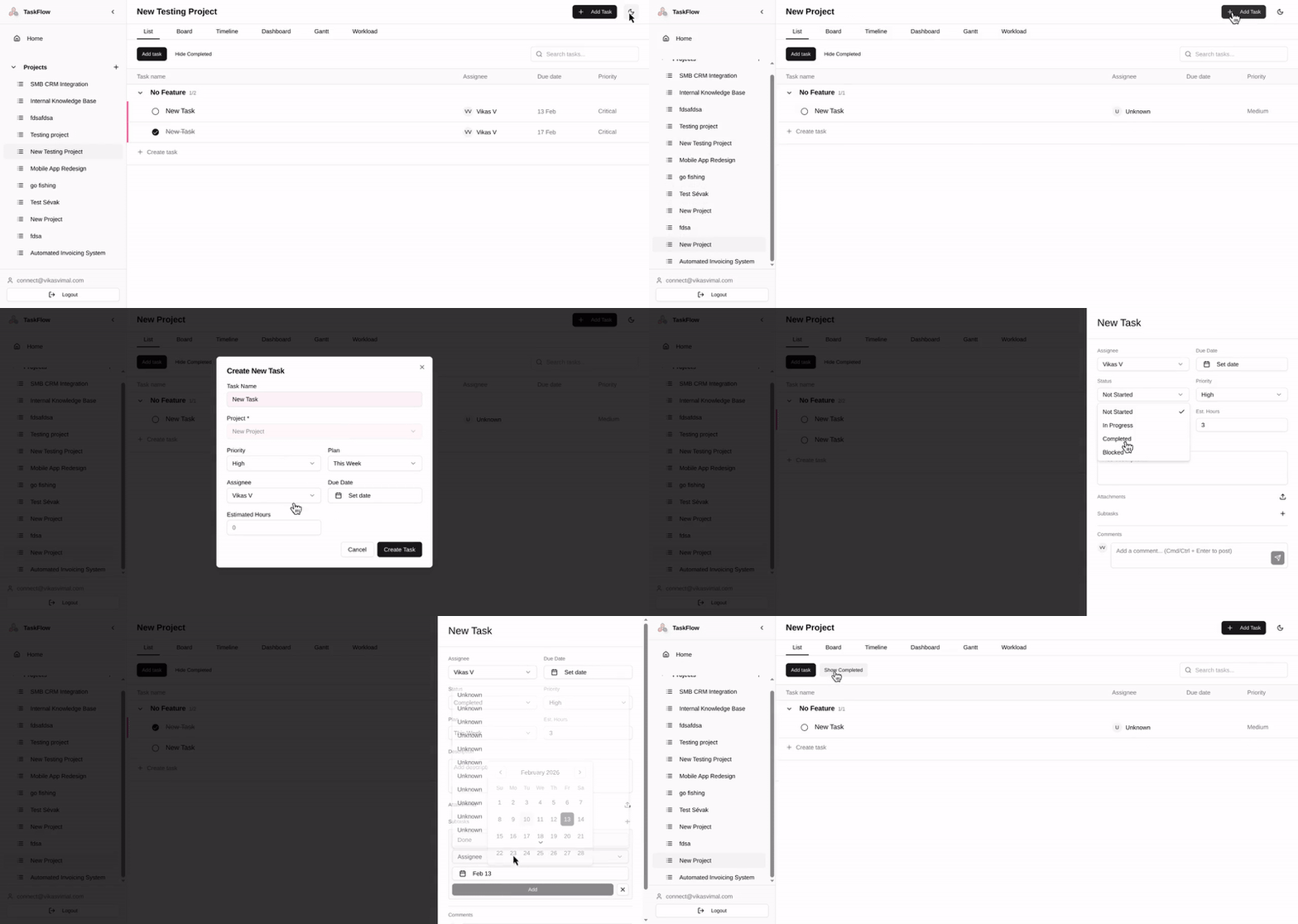
Your team uses Asana. Half your tasks are outdated. Nobody updates status. You are paying per seat for features your team never touches.
This is the alternative: a task system you own, modify, and extend without asking anyone’s permission.
[Try the App] · [View Backend]
The Blueprint
See the full scope before anything gets built: users, features, flows, and how the system fits together.
The App
The interface your team actually uses: projects, tasks, subtasks, comments, search, and day-to-day planning.
The Backend
The Airtable base underneath it all: projects, tasks, subtasks, team members, comments, and the structure that makes the app work.
What’s included
Home view
A personal view of work across every project, grouped by time horizon: Today, Tomorrow, This Week, Next Week, and Later. Open the app and know what needs attention without jumping between projects.
Projects and features
Create projects, group work into features or sections, and see progress roll up automatically. Keeps the work structured without turning everything into one long flat list.
Tasks
Create tasks, assign owners, set due dates, track priority, and update status inline. Fast enough that people actually use it.
Subtasks
Break larger work into smaller pieces with separate owners and due dates. Parent tasks reflect progress automatically.
Comments
Add discussion directly on the task so the context stays with the work instead of disappearing into Slack or email.
Drag and drop
Reorganize tasks between sections or plans in seconds when priorities shift.
Search and filters
Search by title and control whether completed tasks stay visible. Preferences persist per project.
Dark and light mode
Both themes are built in. The app remembers the user’s preference.
Authentication and profiles
Team members log in, stay signed in, and see their own identity reflected across assignments and comments. No Per user fees. Login with Google or email.
Two ways to use it
Build it yourself — Free
Explore the app, the Airtable base, and the blueprint. Rebuild it in your own accounts and adapt it at your own pace.
No gatekeeping. No hidden structure.
Get it built for your team — From $2,000
If you want this adapted to your actual workflow, we start with a Blueprint session.
That gives you:
- process mapping
- scope
- architecture decisions
- data design
- a clear build plan
Need time tracking, Kanban, client-facing dashboards, approvals, or resource planning? We build what fits.
Blueprint starts at $299.
Most full builds land between $3,000 and $8,000, depending on what needs to be added.
Questions We Hear Often
How is this different from Asana or Trello?
Asana and Trello are SaaS products. This is a task system you own. Same core idea, but you control the data, the fields, the workflows, and the integrations.
Can my whole team use this?
Yes. Each person sees their own assigned work, and managers can view everything across projects in Airtable backend.
Does it include Kanban?
Not in this version. This template is list-based. Kanban and other views can be added in a custom build.
Can I add time tracking?
Not out of the box. The structure supports it, and we can add it in a custom build.
Does it send notifications?
Airtable automations can handle basic email notifications. Custom builds can add Slack or Teams as needed.
What if I break something?
If you rebuild it in your own stack, it is yours to change and manage. Add fields, remove sections, simplify it, extend it.
What next
Explore the demo
Create a project, add tasks, move them between plans, and leave a comment.
Review the blueprint
See the full scope, feature map, roles, and user stories.
Get it adapted
If you want this shaped to your team’s workflow, start with a Blueprint.
Questions: connect@opstwo.com
Worth Reading
- You Don't Need More Tools, You Need Better Systems
- No-Code Pro Isn't a List of Tasks
- College Money Method Saves 520 Hrs & $40K with No-Code
- How to Calculate the Real ROI of No-Code Projects
More Templates