
AI in SMBs Needs Three Things: Context, Context, and Context
Most SMB AI projects disappoint for a simple reason: the business context is fragmented. Better results come from structured systems, connected data, and workflows that retrieve the right context at the right time.
Most SMBs have tried AI by now. Usually for meeting summaries, proposal writing, inbox triage, spreadsheet analysis, or some version of “chat with our data.”
Sometimes it works well. Often it doesn't. The output sounds generic, shallow, or technically correct but not actually useful.
The common reaction is usually some version of:
“AI is interesting, but it doesn’t really understand our business.”
That is often true. But most of the time the issue is not the model.
It is the context.
AI only sees what you give it
AI does not know your business. It sees the prompt, the instructions, and whatever context the workflow manages to hand it.
That is the whole idea behind retrieval-augmented generation: instead of expecting the model to answer from training alone, you retrieve relevant information from your own systems and inject it at runtime.
Ask AI:
“Summarise our current projects.”
If it only sees that sentence, you will get fluff. If it also sees project records, deadlines, recent notes, task progress, and linked client history, the answer gets much better very quickly.
Same model. Better input.
Anthropic has a better phrase for this than “prompting.” They call it context engineering, meaning the work of deciding what the model should see, what should stay out, and how that context should be managed over time.
That matches what we keep seeing.
Most SMB context is scattered
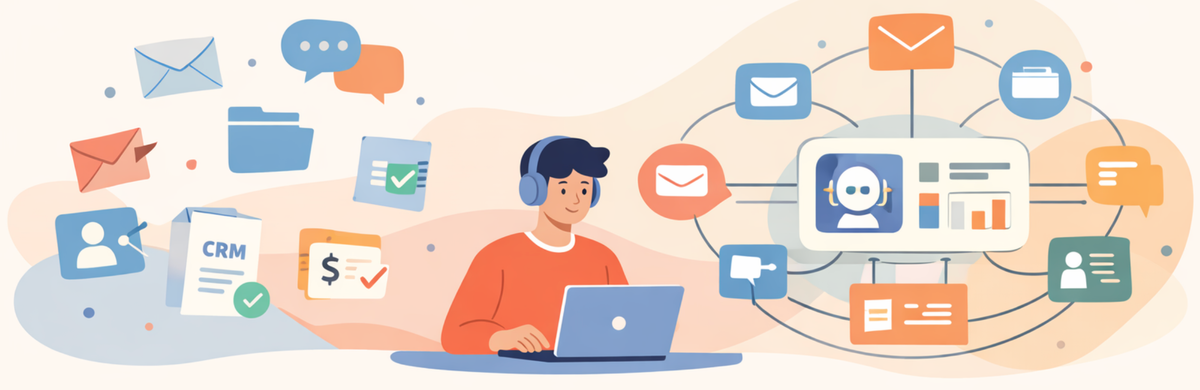
The information usually exists. It is just spread across too many places.
Something like this:
- email for conversations
- Slack for quick decisions
- Drive for files
- spreadsheets for tracking
- CRM for deals
- accounting software for money
- project tools for tasks
Each system has part of the story. Very few have the whole thing.
So when someone asks “Which projects are at risk?” or “What did we promise this client last quarter?” the answer usually lives across four tools and two people. Humans can piece that together manually, badly but often well enough. AI cannot do much unless the system does that first.
This is also why a lot of AI experiments disappoint. The model is being asked to interpret a business that no single system actually represents.
Prompting only gets you so far
There is too much AI advice about prompts and not enough about structure.
Prompting matters. But if the underlying records are messy, duplicated, disconnected, or half missing, a better prompt is not going to rescue the answer. The model is still guessing.
That is why AI Promises vs Operational Reality is really not an AI article as much as a systems article. The problem is rarely “we need a smarter model.” It is usually “our information is spread across too many places, with weak relationships between it.”
Anthropic makes a similar point in its context engineering guidance. More context is not automatically better. The real work is selecting the smallest useful set of relevant information, not shoving everything into the context window and hoping the model sorts it out.
Structure matters more than prompts
If you want AI to be useful, the business needs some actual structure underneath it.
Usually that means defining the core records properly:
- clients
- projects
- tasks
- documents
- meetings
- invoices
- notes
- tickets
And linking them.
Client
├ Project
├ Tasks
├ Files
├ Meetings
└ Decisions
That part matters because once those relationships exist, the system can retrieve something meaningful. Without that, AI is mostly filling gaps.
This is why tools like Airtable, Notion, etc end up being useful in SMB operations. Airtable’s linked records are built around relational connections between records across tables, so you can move beyond one flat sheet and actually model how things relate. That structure is what makes later retrieval and automation far more practical.
Not because Airtable is magic. Because structure is.
Where RAG and vector search actually fit
Once the data is structured, there are a few common ways to make it usable for AI.
The simplest is prompt-based retrieval. Pull the relevant records and documents, attach them to the prompt, and let the model work from there.
The next step is RAG. Documents and records get embedded into a vector store, which makes semantic retrieval possible. Instead of relying on keywords, the system can search by meaning and return the most relevant chunks to the model. OpenAI’s Retrieval API documentation explicitly notes that retrieval is powered by vector stores, and Pinecone’s RAG material makes the same point: external data improves usefulness when it is retrieved at runtime instead of left outside the prompt.
This is useful when you have a lot of unstructured material:
- contracts
- proposals
- call transcripts
- support tickets
- long documents
- knowledge bases
But RAG is not a shortcut around bad system design. If the source material is noisy, duplicated, badly chunked, or disconnected from the rest of the business, vector search can still retrieve the wrong thing. Pinecone’s material on chunking and reranking is useful here. Retrieval quality depends heavily on how the information is broken up and filtered before it ever reaches the model.
That is why this usually works best when a structured operational layer already exists underneath it.
Where MCP fits
MCP matters for a slightly different reason.
The Model Context Protocol is an open standard for connecting AI applications to external systems, including databases, files, tools, and workflows. Anthropic describes it as a standard way to build secure, two-way connections between data sources and AI-powered tools.
In practice, MCP is useful when the model needs access to live systems instead of a static dump of context.
That might mean:
- querying a project database
- pulling the latest CRM record
- calling an internal reporting tool
- looking up a document
- triggering a workflow
- writing back to a system after review
That does not replace RAG. It solves a different problem.
RAG is useful when the question is “what relevant information should we retrieve from our knowledge base or document history?”
MCP is useful when the question is “what systems should the model be able to read from or act through right now?”
The important part is that both still depend on structure. MCP does not make scattered systems magically coherent. It just gives the model a standard way to access tools and data sources that have already been made accessible.
Once the data is organised, AI gets more useful
This is where AI starts becoming practical instead of gimmicky.
Take inbox triage. A shared inbox gets monitored, the workflow identifies the client, summarises the message, attaches it to the right record, and stores a clean note in the CRM. Now the communication history is usable without someone manually cleaning up email threads later.
Meeting notes are another obvious one. Most AI meeting summaries are fine, but shallow. They summarise what was said, but not what changed. If the workflow also pulls previous meetings, open tasks, active projects, recent emails, and old commitments, the note becomes much more useful.
The same thing applies to attachments. Invoices, contracts, proposals, reports, specs. These show up constantly. If the workflow can extract text, classify the file, summarise it, and attach it to the right record, you stop having a pile of documents and start having a usable document history.
Reporting is another easy example. If task data, notes, deadlines, and issues already live in a structured system, AI can write decent weekly updates, risk summaries, client reports, and internal project notes. Not because the model suddenly got clever. Because the input stopped being garbage.
Automation is what makes the context usable
This is where workflow tools matter.
The model usually should not be responsible for figuring out where everything lives. The workflow should do that first. Pull the client record, pull the project, pull recent notes, pull documents, maybe pull support issues, then send only the relevant bits to the model.
That is what orchestration is for. It is also why we keep pointing people back to Build Automation Systems That Don’t Break at 2 AM. If the retrieval logic is messy, the AI layer will be messy too.
The model is not the system. The workflow is doing a lot of the real work.
More context is not always better
This is worth saying clearly because a lot of teams get this wrong.
Dumping more data into AI is not the answer. Bad context can be missing, duplicated, irrelevant, too broad, or inconsistent. Too much irrelevant material can make the answer worse, not better.
The goal is not more data. It is better selected context.
That means clean structure, useful relationships, consistent naming, and workflows that fetch the right records at the right time. That is not glamorous work, but it is usually the difference between “this feels impressive” and “this is actually useful.”
Where we usually start
At OpsTwo, we usually do not start with AI.
We start with the business system. What are the core records? Where does work move? What needs to be visible together? What should trigger what? What should be automated? What should stay manual? Would a human be able to answer that with the same context?
Once that is clear, AI becomes easier to use in sensible ways. Before that, it is usually just layered on top of a mess.
That is also why our work usually looks more like A Practical Approach to No-Code for Your Business than a pure AI build. We structure the workflow first. Then we decide where AI actually helps.
The short version
Most SMB AI work disappoints for a fairly boring reason. The information behind it is fragmented.
The model is not usually the main issue. The system is.
If the business context is scattered, AI will feel shallow. If the business context is structured, AI gets much more useful.
That is usually the real project.